Error 1327 Invalid Drive
'Error 1327: Invalid Drive: [drive letter]' when installing
One of our customers reported this error during installation:
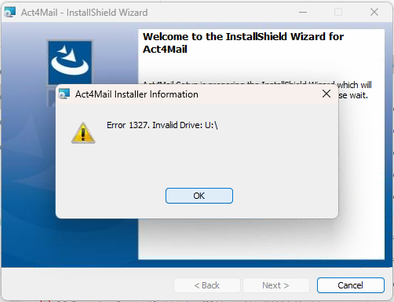
They reported that the Documents location was set to u:\ and, as a result, the install failed with the error above.
The fix was to right click on the Documents (called U:) and choose Properties > Location tab and change to Default but don’t allow the prompt to move the files.
When done installing Act4Mail, switch it back to the network drive.